
Now enrollingGYTO Library Membership — Unlimited downloads for just $15.99/monthJoin the Library →
Interactive November Slides | Editable Daily Morning Slides, Desk Prep & Small Group Generator - Shop GYTO - Get Your Teach On

Interactive November Slides | Editable Daily Morning Slides, Desk Prep & Small Group Generator

3.00 USD

Want unlmited access to this resource? SUBSCRIBE NOW for instant access to download this and all of our resources!

Resource Information

Resource Type:

  • Classroom Management
  • Instructional Slides

Number of Pages:

  • 5

Applicable Grade Level(s):

  • All Grade Levels

Subject(s):

  • Not Subject Specific

Included File Type(s):

  • PDF
  • Canva Link

Common Core Standards:

TEKS (if available):

Seasonality (if applicable):

  • Fall

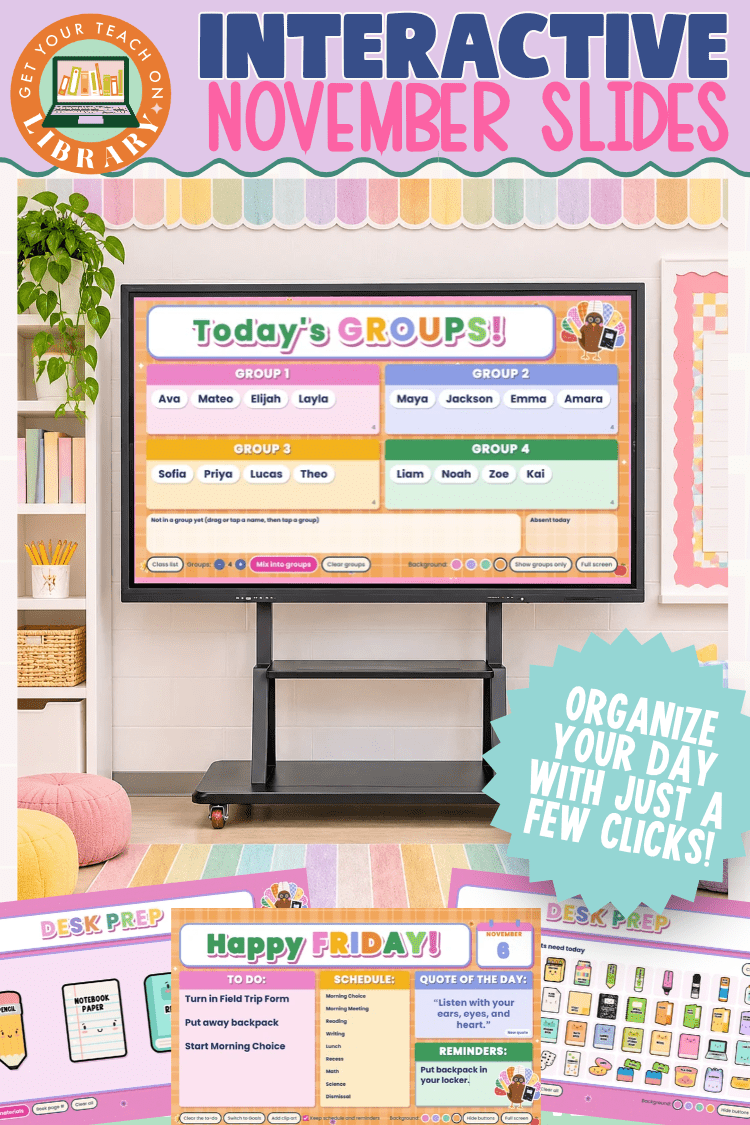
Organize your day with just a few clicks using these Interactive November Slides! Click and type right on your classroom board to share your to-do list, schedule, materials, and small groups, so students always know what to do and where to go.

There is nothing to rebuild or retype each morning. The daily slide updates with the day and date on its own, your schedule and reminders can carry over from day to day, and your class list is ready whenever you need new groups.

What's Included

  • Daily slide: type your to-do list, schedule, and reminders right on the slide. Includes a quote of the day with a New quote button, a Switch to Goals option, clip art, and four background colors.
  • Desk Prep: tap the materials students need from 48 supplies, including pencils, folders, books, Chromebooks, and math manipulatives, then show them big and bright on your board. Add a book page number, too.
  • Today's Groups: type your class list once (up to 40 names), choose how many groups you need, and mix students into groups with one click. Drag names to adjust and set aside absent students.
  • Teacher guide with step-by-step directions and links to open your slides in Canva

Two Easy Ways to Use Them

  • Present Now: Open the slides and click Present. No Canva account is needed. Click any box to start typing.
  • Make a Copy: Save your own copy in Canva to add these slides to your own classroom presentations. A free Canva account is required.

Perfect For

  • Morning meeting and arrival routines
  • Posting your daily schedule and reminders
  • Quick transitions between lessons
  • Small groups, centers, and partner work
  • Keeping students independent and on task

Bookmark your link so your slides are always one click away, and enjoy smoother, more organized days all November long.

Recently viewed

Now enrollingGYTO Library Membership — Unlimited downloads for just $15.99/monthJoin the Library →
All downloads are licensed for personal use only or in your classroom. Downloads may be printed or used once. Customers looking to print multiple copies must purchase multiple licenses. These downloads may not be sold or used in any products made for sale, such as Teachers Pay Teachers products.